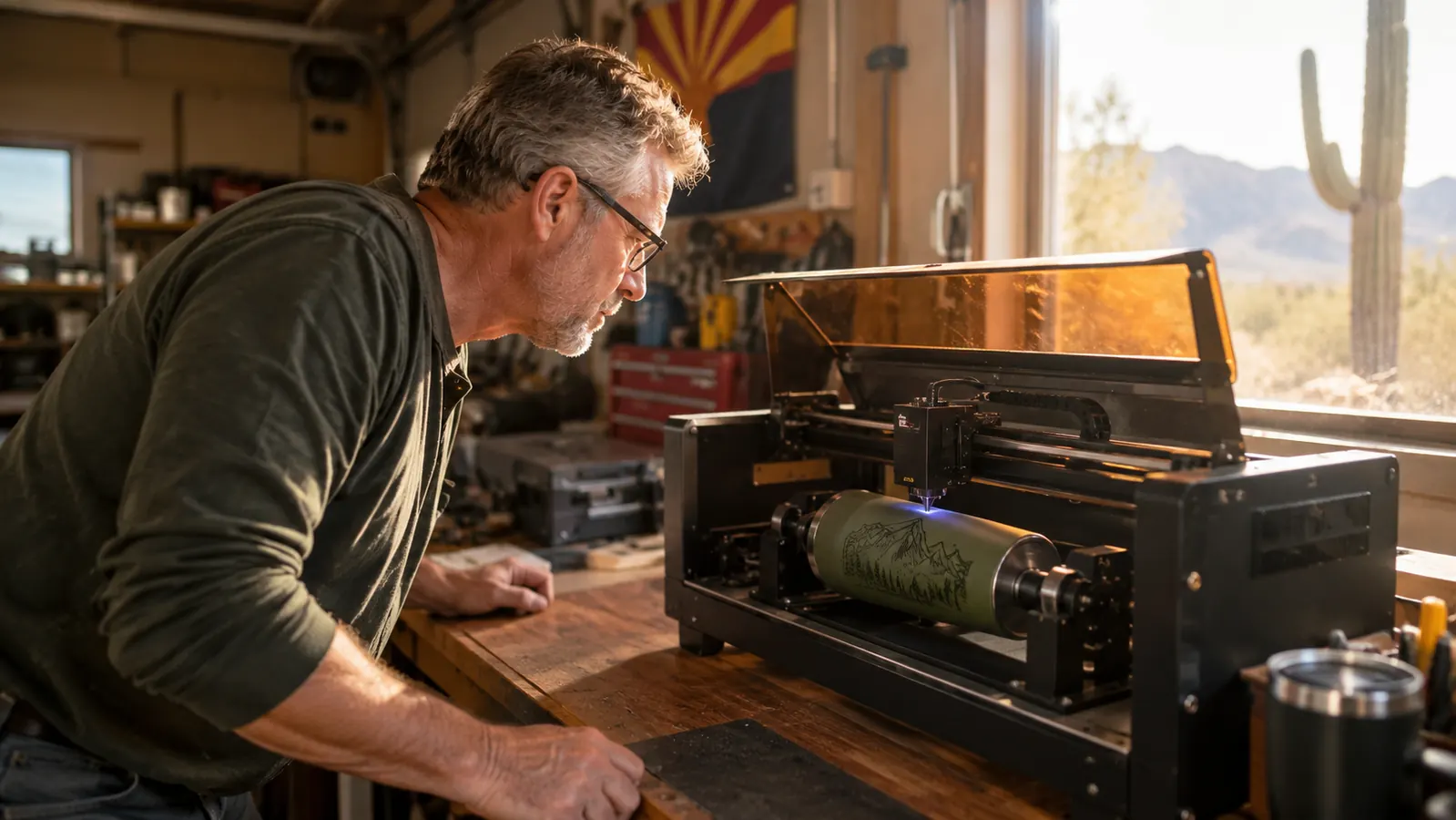
Every rotary attachment I looked at before buying the xTool RA2 Pro made the same promise: clamp a tumbler, press start, walk away. My first Saturday with it did not go that way. I burned the inside of a powder-coated cup, spent an hour fighting the focus height on a tapered glass, and nearly returned the whole thing before I figured out that the problem was me, not the machine. Four months later, the RA2 Pro is a permanent part of my garage workbench, and I use it on nearly every tumbler that goes out of my shop. But the honest version of this review is not the one in the product photos. It is the version where I tell you exactly what surprised me, what wasted my time, and which of its quirks you can live with.
I am Gus Pellegrino, a retired high-school shop teacher in Tucson. I have been engraving in my garage for about four years, mostly hardwood cutting boards, leather patches, slate coasters and powder-coated tumblers for weekend craft fairs and our Etsy shop. I bought the RA2 Pro last spring for my xTool S1, and this review is based on four months of regular use, including the projects that went sideways. If you are trying to decide whether a rotary roller earns its spot on your bench, this is what I wish someone had told me.
The Quick Verdict
The RA2 Pro is the most capable rotary roller I have used, and it is the one I reach for every time a tumbler order comes in. Just budget for the riser it requires, and plan to spend your first afternoon learning its quirks before you risk a good cup.
Amazon Check Today's Price →The rotary that finally made tumblers worth the setup time
I use the RA2 Pro on every tumbler order now. Check today's price on Amazon and see if it fits your machine before you buy a roller that fights you for months.
Amazon Check Today's Price on Amazon →How I've Used It
The first thing the box does not tell you is that the RA2 Pro is not a plug-and-play accessory for most machines. On my xTool S1 I needed the riser kit to lift the laser head high enough that the rotary could sit in the work area. The RA2 Pro's own listing says 'must with riser,' and that sentence is doing a lot of work. Without the riser, the tallest tumbler I could fit under the head was about six inches, which rules out the 20-ounce and 30-ounce tumblers that actually sell at craft fairs. With the riser installed, I gained enough clearance for the sizes that matter.
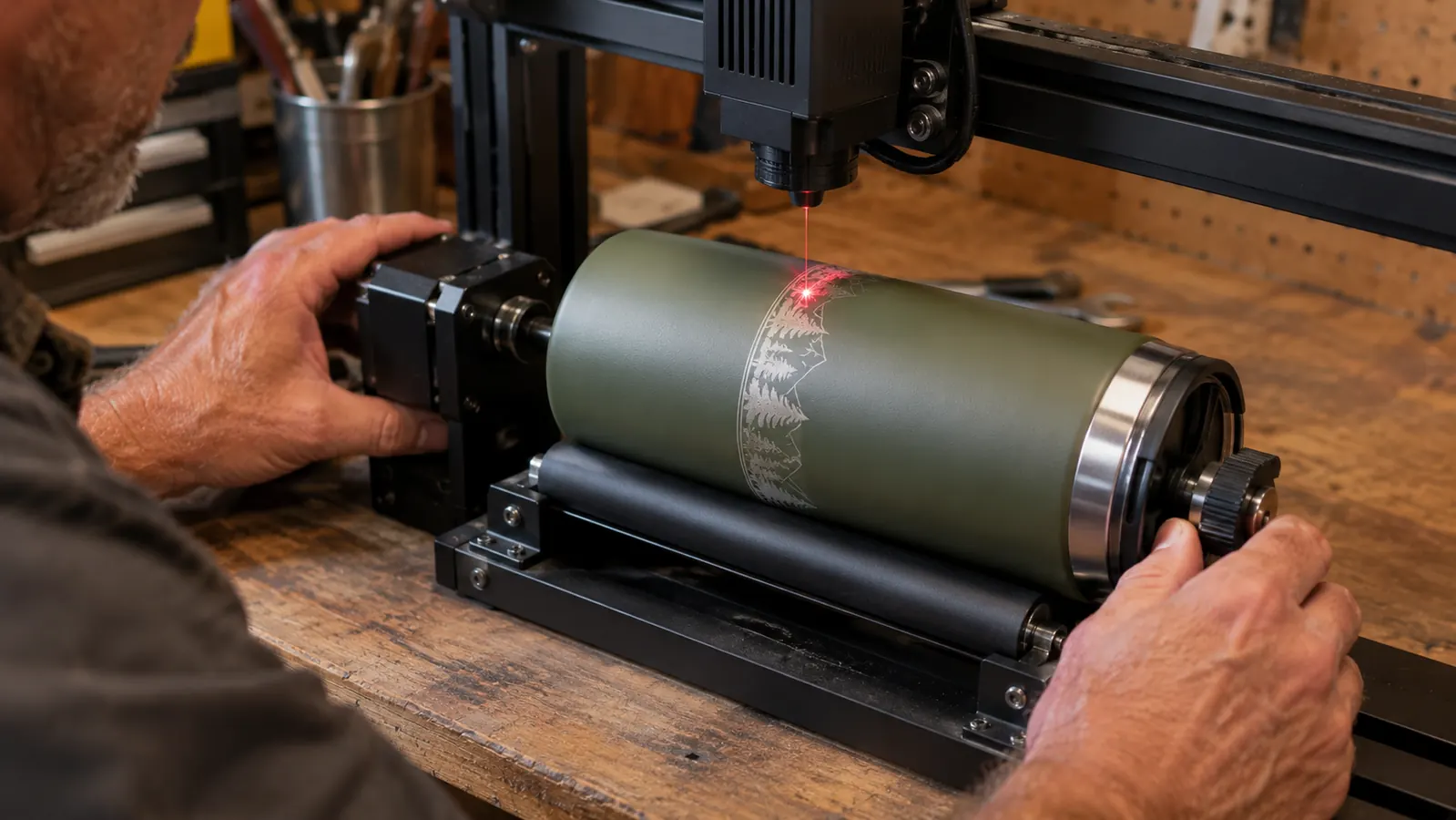
I started with a plain 12-ounce tumbler, the kind you buy by the dozen, because I did not trust myself with a good one. The RA2 Pro has two ways to hold a piece: the three-jaw chuck grips the base of a cup while the tailstock roller supports the top end, or the piece rides between two rollers on its own. For a straight-sided tumbler, the chuck and tailstock setup was simple. The jaws hold the base, the roller supports the rim end, and the machine rotates the cup in a full circle while the laser runs down the length. My first engrave came out clean, and I remember thinking this was going to be easier than the reviews suggested. Then I tried a tapered glass and learned the difference between 'rotates' and 'stays put.'
The glass taught me the first real lesson: on a tapered cup, the roller and chuck grip at two different diameters, so the centerline of the piece is not parallel to the work surface. The engraving walked uphill, and the far end of the design came out visibly higher than the near end. The fix was shimming the tailstock end with a thin strip of craft foam to level the glass, which took about fifteen minutes of fiddling and a few test passes on a cheap jar. That is the kind of thing nobody puts in the marketing photos. It is also exactly the kind of thing a shop teacher enjoys figuring out.
Where the RA2 Pro Genuinely Shines
Once it is set up, the RA2 Pro does two things better than anything else I have tried. The first is repeatability. When I engrave a batch of tumblers for a wedding order, I can run the same file on the same style of cup and get the same result every time. The chuck seats the same way, the roller holds the same tension, and the rotary turns at the same rate. That consistency is the difference between a product you can sell and a hobby that produces one-offs.
The second is how well it handles powder-coated steel. Powder coating is what most of the tumblers at craft fairs are made of, and it engraves beautifully when the laser can reach it at a consistent distance. The RA2 Pro keeps that distance steady because the piece rotates under the beam instead of the beam trying to track a curve. On the flat bed, my S1 needs a lot of fiddling to avoid burned edges on curved surfaces. On the rotary, the same file comes out clean because the machine does the curve work for me.
The chuck mode is also genuinely useful for items people forget about: pens, bottle openers, spice jars, small flashlights. Any cylinder with a flat end that fits the jaws becomes a project. I have engraved a run of fifty slate coasters on the flat bed and then switched to the rotary for the matching wooden pen sets, all in one afternoon, without changing the laser head. The changeover takes about two minutes once you have done it a few times.
I also learned that the rotary makes wine glasses possible in a way I did not expect. A stemmed glass is too tall for the chuck and tailstock in most orientations, so I set it in roller-only mode and let it ride on the two rollers near the bowl. The engraving wraps around the glass at a height that sits above the label area, which is where customers expect a monogram. It took three ruined glasses to find the right speed and focus, and I still test on a thrift-store glass before I touch a good one. But the first time I handed a customer a monogrammed wine glass at the fair, she looked at it for a long moment and then ordered three more. That moment is why I keep the rotary mounted.
The Compatibility Trap Nobody Mentions
Here is the part I wish I had understood before I bought: 'compatible with most laser engravers' is doing a lot of work in that title. The RA2 Pro ships with a base that is machined for xTool machines. On my S1, it drops into the work area and lines up with the existing holes, no drilling. But on a laser from another brand, you are on your own. There is no universal mounting kit in the box, and the roller has to be squared to the laser's X axis or every engraving comes out crooked. A friend in Phoenix tried it on his diode laser and spent a weekend cutting adapter plates before he gave up and bought the xTool machine to match the accessory. That is backwards from how most people think about buying a laser, and it is worth knowing before you commit.
The second trap is the riser. The listing says 'must with riser,' and I read that as a suggestion for tall tumblers. It is not a suggestion. On my S1, the rotary plus a 20-ounce tumbler is taller than the stock clearance, full stop. If you do not already own the riser kit for your machine, add it to the cart in the same order, because the rotary is a paperweight until it arrives. I ordered mine at the same time and still lost a weekend waiting on the second box. That is not a flaw in the RA2 Pro itself, but it is a hidden cost, and the honest reviews are the ones that mention it.
The third compatibility note is software. xTool Creative Space recognizes the RA2 Pro when it is plugged in and sets up rotary mode in a couple of clicks. LightBurn also supports it, which is what I use for most of my design work, but you have to tell LightBurn which rotary mode you are in and set the steps per rotation correctly. The xTool documentation walks you through it, and it took me about twenty minutes on the first try. If you are a LightBurn user, do not skip that setup screen, because a wrong step value sends your design spiraling around the cup instead of staying in a straight band.
The Fiddly Parts: Chuck Pressure, Focus, and Tapered Glasses
The three-jaw chuck is the RA2 Pro's best feature and its most annoying one. The jaws grip the base of a tumbler firmly, which is exactly what you want for a 30-ounce cup full of mass. But the jaws are metal, and powder coating is soft. If you crank the chuck too tight, the jaws leave three little dents in the bottom of the cup that you cannot un-see. On my first paid order, I marred two tumblers before I learned to tighten the chuck just enough to stop the cup from slipping, not enough to crush it. The fix that worked for me: a small round of craft felt between the jaws and the cup base. It protects the coating and still grips well enough for a full rotation.
Focus is the other thing that will cost you cups. On a flat cutting board, the laser's focal point is one number, and it stays true across the whole surface. On a cylinder, the surface curves away from the lens, so the focal point is only perfect along a thin band down the center of the design. The RA2 Pro keeps the top of the piece at a steady height as it rotates, but you still need to set the focus at the top of the curve, not the middle of the design. My first tumbler came out with a crisp center band and fuzzy edges top and bottom. The fix was refocusing on the highest point of the cup and running a small test square on a piece of scrap before committing to the real one.
Tapered glasses are the hardest thing the RA2 Pro will ever do, and I want to be honest that I still do not get them right on the first try. A tapered wine glass has a narrow base and a wide rim, so the chuck and the tailstock are gripping at different angles. The glass wants to tilt, and when it tilts, the engraving drifts. I have found two things that help. One, run tapered glasses in roller-only mode when the base is too narrow for the chuck. Two, level the glass with a shim under the tailstock, and check it with a small bubble level across the top before you start. It adds five minutes to the setup and saves you from engraving a glass that you then have to throw away.

Speed and Software: What a First Project Taught Me
Nobody warns you that rotary engraving is slow. A full-wrap design on a 20-ounce tumbler, the kind people actually pay for, took me about 35 minutes on my S1 at the settings I use for powder coating. That is not a complaint about the RA2 Pro, which is doing exactly what it should. It is a warning about your expectations and your pricing. If you quote a customer a one-hour turnaround on a full-wrap tumbler, you will be late. I quote full-wrap work as a next-day job now, and I batch the engraving so the machine runs while I cut leather patches on the other side of the bench.
The RA2 Pro also changed which projects I take on. Before I owned it, I turned down tumbler orders because hand-positioning a curved surface on a flat bed was a waste of time and material. Now tumblers are a regular part of my craft fair table, and they are the item people notice. The first time a customer picked up a tumbler with their dog's name engraved around the full circumference, they asked if I could do the same for their whole family. That order paid for the accessory by itself. I am not going to quote numbers, because everyone's situation is different, but I will say the RA2 Pro paid for itself faster than any other accessory I have bought for the laser.
One more software note: update the firmware before your first real project. My RA2 Pro shipped with older firmware that dropped the connection mid-engrave on a long job, which turned a 30-minute project into a ruined cup and a trip back to the computer. The xTool update tool fixed it in ten minutes, and I have not had a dropout since. That is the kind of thing that shows up in the one-star reviews and almost never in the five-star ones, and it is worth doing before you risk a good tumbler.
Test runs are not optional, and I say that as someone who skipped them exactly once. The engraving looked fine in the preview, so I loaded a 30-ounce tumbler and let the machine run while I went inside for lunch. When I came back, the design had walked about a quarter inch around the cup because I had set the wrong diameter in the software, so the rotary turned slightly too far with each pass. The cup was ruined, and worse, the mistake was entirely mine. The RA2 Pro had done exactly what I told it to do. Now I keep a box of cheap glass jars by the bench, and every new file gets a test run before it touches a customer's cup.
What I Liked
- Chuck and tailstock hold straight-sided tumblers firmly, with repeatable placement across a full batch
- Handles powder-coated steel cleanly, with a steady focal distance across the whole rotation
- Changeover from flat bed to rotary takes about two minutes once you have done it a few times
- Works with both xTool Creative Space and LightBurn
- Solid build; the chuck and rollers have taken four months of weekend use without developing slop
Where It Falls Short
- Listing says 'must with riser' for a reason; budget for the riser or the accessory sits unused
- Mounting base is machined for xTool machines, so other laser brands need custom adapters
- Metal chuck jaws can dent soft powder coating if you over-tighten
- Tapered glasses need shimming and patience; first attempts will drift
- Shipped firmware dropped mid-engrave until I updated it
My first paid order cost me two tumblers before I learned to back off the chuck. A scrap of craft felt fixed it, and I have not marred a cup since.
Who This Is For
The RA2 Pro is for you if you already own an xTool laser with a riser, or you are willing to buy both at once, and you want to sell engraved tumblers, glasses, bottles and pens without fighting curved surfaces. It is for the person who will spend a Saturday learning the setup, who understands that a tapered glass needs shimming and a powder-coated cup needs a light touch on the chuck. If you are that person, the RA2 Pro will do more than any other rotary I have tried, and it will do it consistently. If you run a craft fair table, it is the difference between saying 'no, I cannot do tumblers' and 'yes, what name should I put on it?'
Who Should Skip It
Skip it if you are still deciding between laser brands, because the RA2 Pro is happiest on xTool machines and you should not let an accessory pick your laser for you. Skip it if you only want to engrave flat items, because a rotary you never mount is a box of metal on a shelf. And skip it if you are not willing to spend the first afternoon on setup, riser clearance, firmware and focus tests. This is not a tool that rewards impatience. It rewards the same careful, methodical approach I taught in my shop classes for thirty years: measure twice, test on scrap, then run the good piece.
Tumblers are the item people notice on my table now
The RA2 Pro turned a curved-surface problem into a regular product line. See today's price on Amazon and check the riser requirement for your machine before you order.
Amazon Check Today's Price on Amazon →