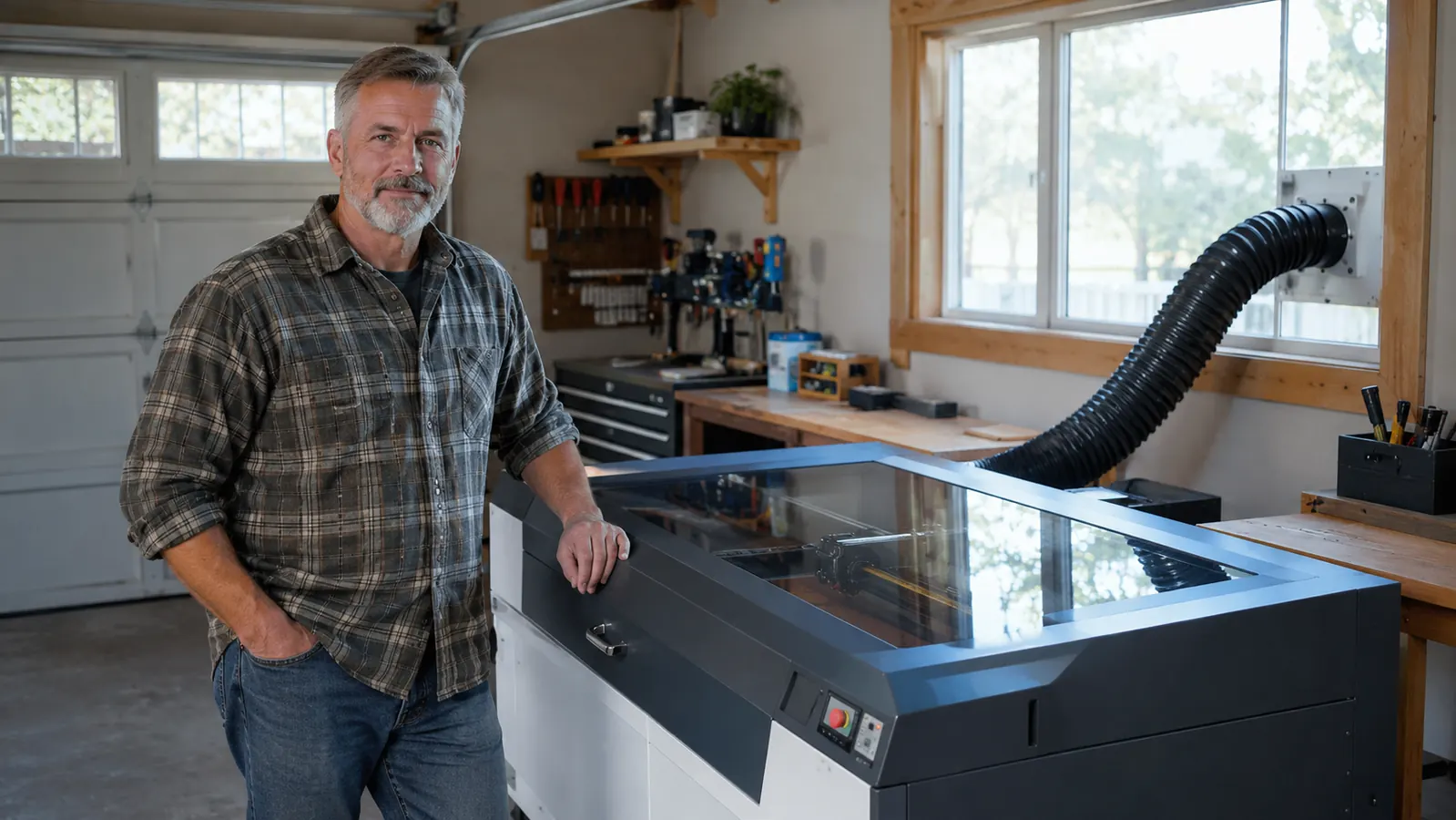
The xTool S1 is the most serious tool in my garage today, and for the first three weeks I regretted buying it. That is the part the marketing photos leave out. I am Gus, a retired shop teacher in Tucson, and I have been engraving in my two-car garage for about four years now, selling cutting boards, leather patches, slate coasters and powder-coated tumblers at weekend craft fairs and on Etsy. My old machine was an open-frame diode laser I bought used because it was cheap, and it was too small for the tumblers and bigger boards my wife Linda kept asking me to try. So I saved up and moved to the xTool S1, the 40W enclosed version, and later paired it with a rotary. Then I spent three weeks fighting with it before it earned its place on my bench.
Here is what nobody tells you before you buy one of these: the laser is the easy part. The learning curve is the software, the fumes, the focus, and the fact that every board and every sheet of leather behaves a little differently. This machine will make beautiful work, but it will also burn its share of scrap while you figure out why that piece of birch charred and this one did not. None of that is a reason to skip the S1. It is a reason to go in with your eyes open.
The Quick Verdict
An enclosed 40W diode that does real work on wood, leather and tumblers, but only after you climb a steeper learning curve than the ads admit.
Amazon Check Today's Price →If you already know the S1's limits and you still want it, this is the one I would start with.
The S1 is the machine I reach for on craft-fair weeks. It cuts boards, marks leather and spins tumblers evenly without turning the garage into a smoke pit. Check today's price on Amazon to see where it sits.
Amazon Check Today's Price on Amazon →How I've Used It
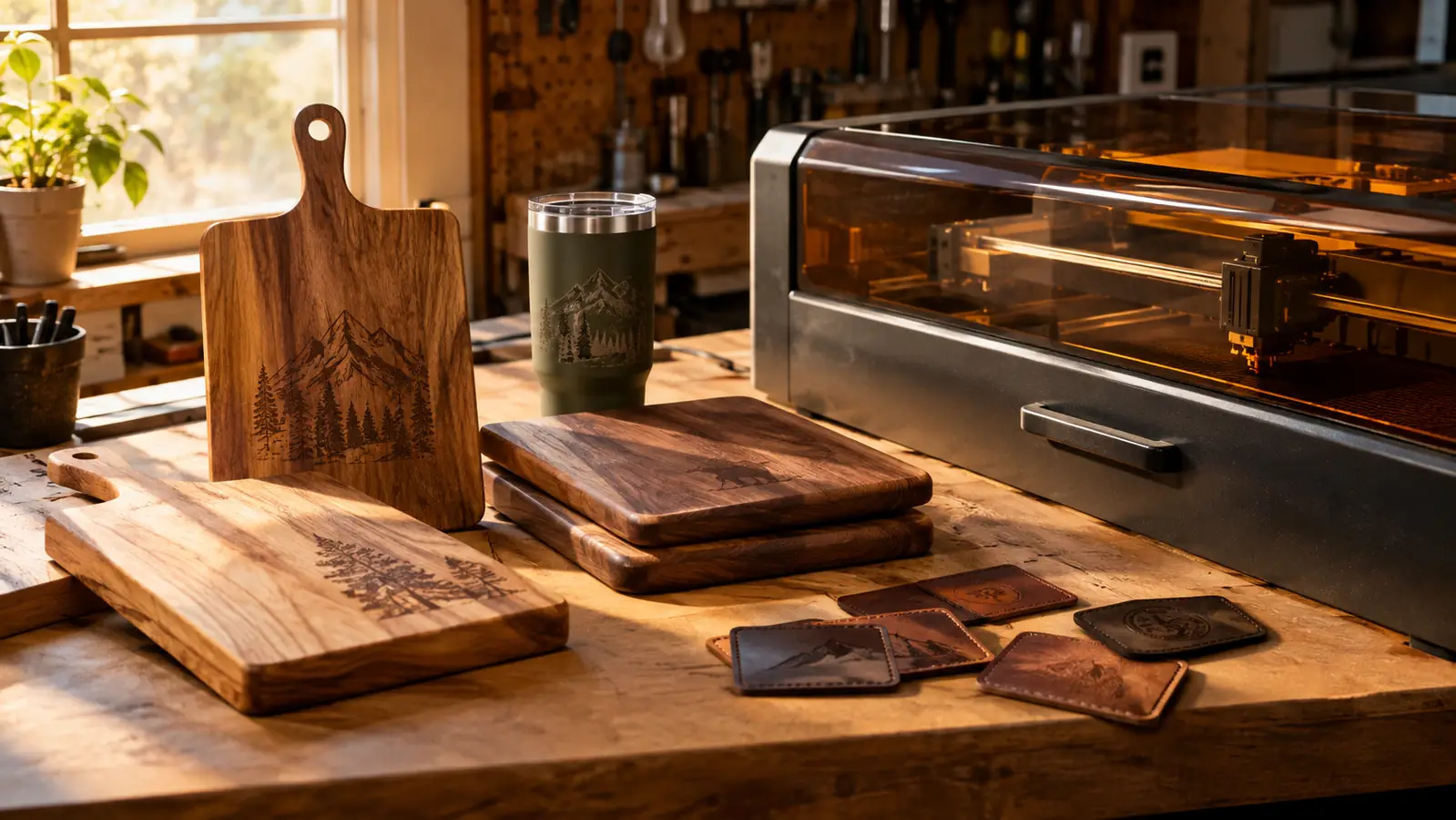
The S1 lives on my workbench along the back wall of the garage, with the exhaust hose running out the window right above the shop vac. I have had it about eleven months now. In that time it has cut and engraved a couple hundred cutting boards, dozens of leather patches for hats and work aprons, a stack of slate coasters, and a steady run of powder-coated tumblers on the rotary mount.
My routine is boring in the best way. Mornings I prep stock: sand boards, wipe down slate, clean tumblers with alcohol. Afternoons I run jobs in batches, one material at a time, because every material change means a new focus height and new speeds. Evenings Linda photographs the pieces and lists them on Etsy. The S1 handles the one part of that rhythm that used to swallow my whole week.
Here are the numbers that matter to me, not the ones on the box. A walnut cutting board takes about twelve minutes to engrave a full design. A leather patch is under two minutes. A tumbler on the rotary runs ten to fifteen, depending on how detailed the artwork is. That is with LightBurn dialed in, air assist on, and the focus set fresh for each material. When I say that means I can stock a craft fair table in a weekend, I mean it literally.
I also keep a paper notebook, the old kind, and every new material gets a page. Maple, cherry, walnut, the two acrylics I trust, the leather from the supplier I like. One line for power, one for speed, one for what went wrong. The S1 made that notebook feel worth keeping, because with an enclosed machine the variables are consistent enough that the notes actually transfer from one batch to the next. On the open-frame machine, they never did.
What the Spec Sheet Doesn't Tell You
The biggest surprise is the fumes. Yes, the S1 has an enclosed cabinet and air assist, and yes, it is a hundred times better than my old open machine. But it is not a filter. The exhaust hose has to go somewhere, and in my shop that is the window. If you plan to run this in a basement or an apartment corner with no window, the smoke smell will find you. I learned that on a rainy week when I could not crack the window and ran the machine anyway. Rookie move. The garage smelled like a barbecue for two days.
Another thing the photos leave out is the lid safety switch. The S1 kills the beam the instant the lid lifts, which is genuinely good safety. It also means every time you peek at a job, the cut stops, and you have to re-home the head and restart. I have learned to trust it and walk away. And the little focus gauge, the plastic tool that sets the right height for you, is embarrassingly easy to lose. Mine has a permanent spot in the bench drawer, because it took me two days to find it the first week.
Then there is the software. xTool ships its own app, and it is fine for simple jobs. But the machine's real muscle comes out in LightBurn, which is what most of the serious laser crowd uses. LightBurn is powerful, and for someone with my background, a guy who grew up on table saws and router tables, it was a genuine class. I burned a fair amount of scrap before power settings and cut order felt natural. That is not a knock on the S1. Every serious laser has the same hill. But nobody warns you that the first month is homework, not craft.
One more safety note, because it is cheap to add and expensive to skip. The cabinet contains the beam, which is a huge improvement over open-frame life. But I still wear laser safety glasses over my readers when the lid is up and I am aligning a job. The reflected light off a polished tumbler can surprise you. xTool sells a pair, and any certified glasses for your wavelength work just as well. Get them before you unbox the machine, because you will want them the moment the lid opens.
Setting Up a Job: Where the Time Actually Goes
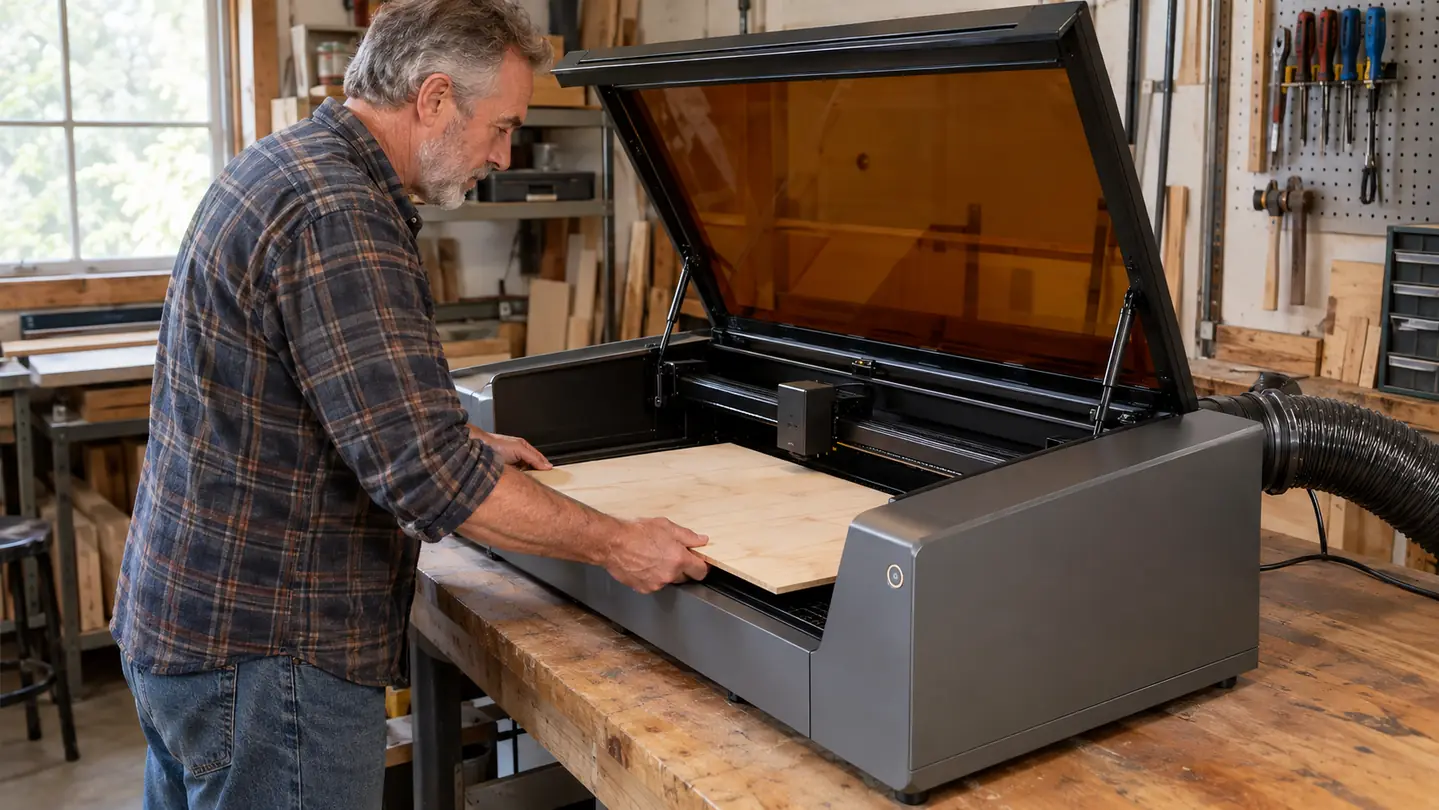
Since the honest part of this review is about what nobody tells you, let me walk you through a typical first job. You drop the board on the honeycomb bed, close the lid, and the machine homes itself. Then you use the focus gauge to set the laser height, which for a cutting board means accounting for the board's thickness. Then you import the design into LightBurn, position it with the lid crosshair, and set power and speed for the material. For anything you have not dialed in yet, you do a test cut on scrap first. That test piece is not optional. I skipped it exactly once, on a batch of walnut, and ruined two boards before I made it a rule.
The honeycomb bed itself is worth understanding. It supports the material while letting smoke and debris fall through, which keeps the underside of the cut cleaner. But high power over the same spot will eventually mark the honeycomb, and a damaged strip shows up on the next job. I keep a piece of thin plywood to sit under delicate jobs, and I replace spent sections of the grid when they start to look ragged. That is the maintenance nobody puts in the product video.
And a word about air assist, because it matters more than the box suggests. The S1 has it built in, and you should run it for every cut, not just the ones you think need it. The air stream clears smoke out of the beam path, and a smoke-filled cabinet means a weaker cut and charred edges. I mention it because I spent a week blaming the machine for edges I did not like, and the fix was simply remembering to turn the air on. That is the level of detail this hobby lives at.
The first three weeks I fought the software and the lid switch. Once I got past that, a walnut board runs about twelve minutes and a tumbler about ten, and it became my favorite tool in the garage.
What's Genuinely Good
The enclosure is the reason I bought this machine instead of another open-frame diode, and it earns the space. The S1 has a lid you close before it runs, so the beam stays contained and the smoke and debris stay inside. My garage does not smell like a campfire all week anymore. Linda noticed before I did, and she is the one who photographs and lists the products, so her opinion counts double.
The work area is the other big win. The 23.93 by 15.16 inch bed fits full cutting boards and big slate slabs that the old machine could never have handled. And a rotary means tumblers come off the mount engraved evenly, with clean lines all the way around. I skipped tumbler orders for two years because my old machine could not do them. Now they are a regular part of the week.
Speed is real, with a caveat. The 600mm per second number on the box is a positioning speed, not a cutting speed. Cutting through half-inch wood still takes passes and patience. But a design that stretched to forty minutes on my old machine runs in ten or twelve here. For a weekend fair shop, that difference is the difference between showing up with stock and showing up with a half-finished table.
The build also feels like a real tool, not a toy. The cabinet is rigid, the door seals well, and the rails move smoothly. After eleven months nothing has loosened, skipped, or thrown an error I could not fix with a soft swab on the lens and a dry cloth on the rails. That is the whole maintenance schedule, and that is how it should be.
Where It Falls Short
Let me be straight about the limits. This is a diode laser, not a CO2 and not a fiber. It cuts wood, plywood, MDF, leather, paper, cork and some acrylics. It marks coated metals and powder-coated tumblers by burning off the coating. It will not cut bare metal. And clear acrylic, the stuff everyone pictures when they think laser cutting? A diode does not like it. The beam passes through, scatters, and leaves a sooty edge. If your business is clear acrylic signs, buy a CO2 and do not look back.
Second, this machine is heavy and it wants a real footprint. The enclosure is the whole point, but it means a big solid box on your bench with an exhaust hose snaking to a window. I rearranged my entire garage to fit it, and I am glad I did. But if your workspace is the corner of a spare room or a small apartment desk, this is too much machine, and I would say the same about any enclosed laser.
The rotary is good but not magic. It adds setup time, you have to center the tumbler so it runs true, and tapered tumblers need the cone chucks to grip properly. My first two rotary jobs had a wobble that showed up as a fuzzy line. Once I figured out the cone fit, the wobble went away. The lesson, consistent with everything else about this machine, is that the first attempt teaches you what the manual did not.
Alternatives I Considered
Before I bought the S1 I looked seriously at a bigger open-frame diode. It is simpler and it takes up less bench space. But I already knew open-frame life from my old machine: goggles on every time, a garage that smelled like smoke, and a beam I could not safely leave running while I stepped inside to answer the door. I was done with that trade.
The other direction was a used CO2 laser. Tempting, because CO2 cuts clear acrylic beautifully and the speeds are higher. But a CO2 tube has a finite life, replacing it is a serious job, and out here in the desert the cooling adds another layer of fuss. For my mix of work, wood, leather, slate and coated tumblers, the S1 diode does the job with far less machinery to maintain.
In the end the enclosure and the rotary sold me. I could justify the footprint and the learning curve for a machine that lets me run tumblers in the evening without the house smelling like a bonfire. xTool also makes a smaller enclosed model, the F2, and if you only ever engrave small goods, that smaller machine is worth a serious look. If your work is mostly craft plywood and you never touch a tumbler, a smaller diode might serve you fine. The honest answer is that the S1 is a lot of machine, and part of my job here is telling you when you do not need it.
What I Liked
- Enclosed air-assist cabinet keeps the garage from smelling like a campfire and keeps the beam contained
- 23.93 by 15.16 inch bed fits full cutting boards, big slate and flat signs
- With a rotary it turns out even tumbler engraving, work I skipped entirely for two years
- LightBurn support opens up a huge world of community presets and material settings
- Solid build; eleven months in, nothing has loosened or thrown an error
Where It Falls Short
- Real learning curve in LightBurn; the first weeks are test cuts and scrap
- The cabinet reduces fumes but does not eliminate them; you still need a window or vent
- Clear acrylic is not its friend; a CO2 machine does that job better
- Heavy, bulky footprint that wants a dedicated bench space and a bench that can hold it
- This is not the machine you buy to test whether you like lasers
The Bottom Line
For a retired shop teacher who still likes making things, the S1 is the most satisfying tool I own, and I say that with a full list of its limits in mind. It is not a CO2 machine and it will not pretend to be. But for the work my little business actually does, wood, leather, slate and tumblers, it is the right tool, and the enclosed cabinet is the reason I chose it. If you come to it with patience and a window for the hose, I think you will feel the same.
Who This Is For
If you want to sell wood, leather, slate and coated-metal work, and you have a space where an exhaust hose can reach a window, this machine will earn its keep. It is also for you if you are the type who reads the manual, watches a setup video or two, and honestly enjoys dialing in settings until a piece comes out clean. The S1 rewards patience. That is the single most honest thing I can tell you.
I have had people ask if it is overkill to start with the S1 as a first laser. My answer is the same every time: the learning curve is real, but the safety of an enclosed cabinet is worth more to a beginner than to anyone else. A misstep in the first month is easier to forgive when the beam is inside a box. I would rather teach a beginner on the S1 than on an open-frame 10W.
Who Should Skip It
If you want to personalize a handful of coasters as a hobby, this is more machine than you need. If clear acrylic is your main material, buy a CO2 and do not look back. If you have no window or vent for the exhaust hose, solve that problem before you buy any enclosed laser. And if the idea of a learning curve makes you want to give up on a project, start smaller, learn the basics, then upgrade. There is no shame in that path. I lived it, and I am glad I did.
Still deciding? The S1 is the machine I would buy again.
Eleven months in, the S1 is the tool my little shop is built around. It handles cutting boards, leather patches and tumblers, and the enclosed cabinet keeps the garage clean enough that my wife does not complain. Check today's price on Amazon and read the recent buyer reviews before you make the call.
Amazon Check Today's Price on Amazon →