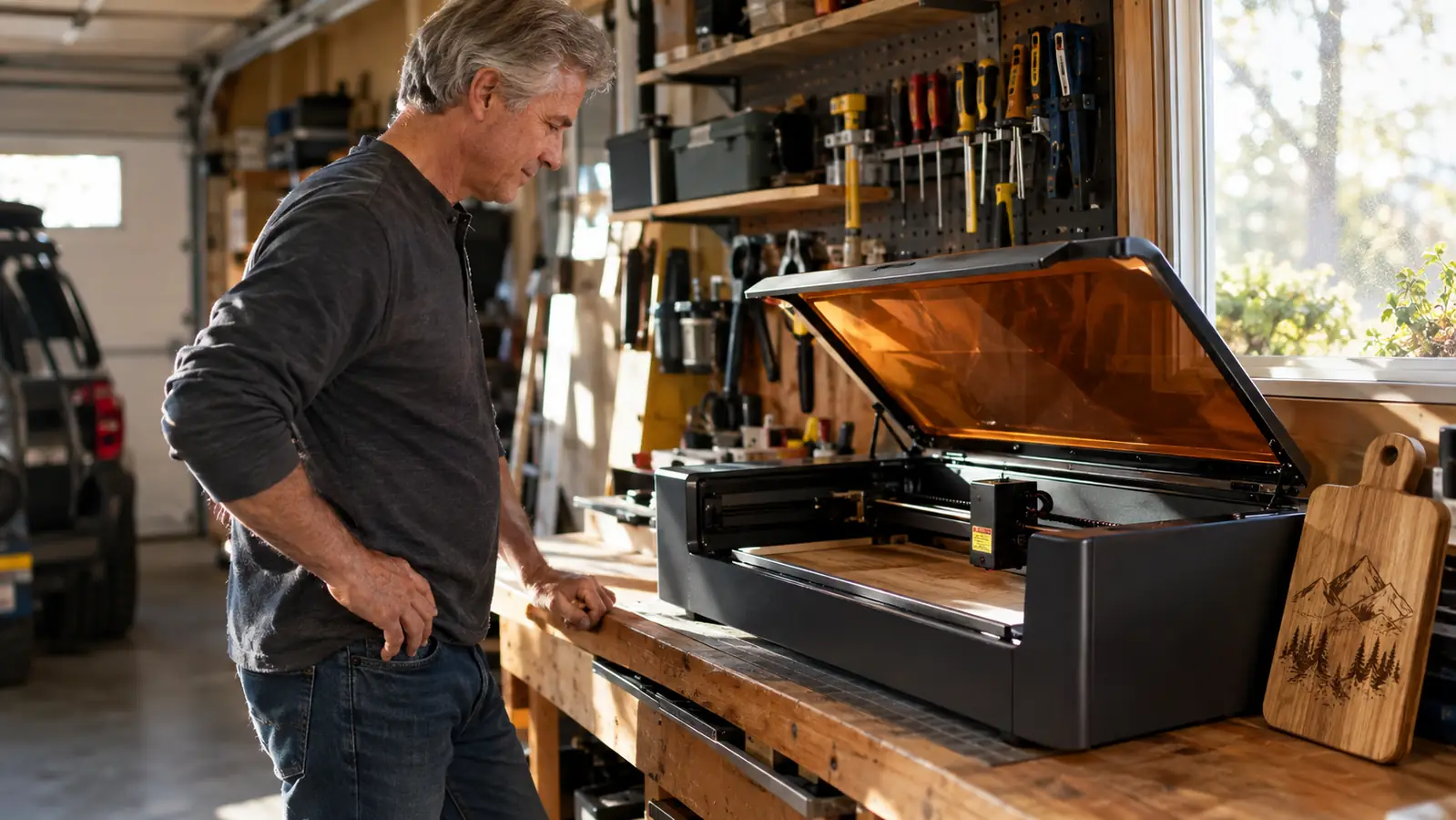
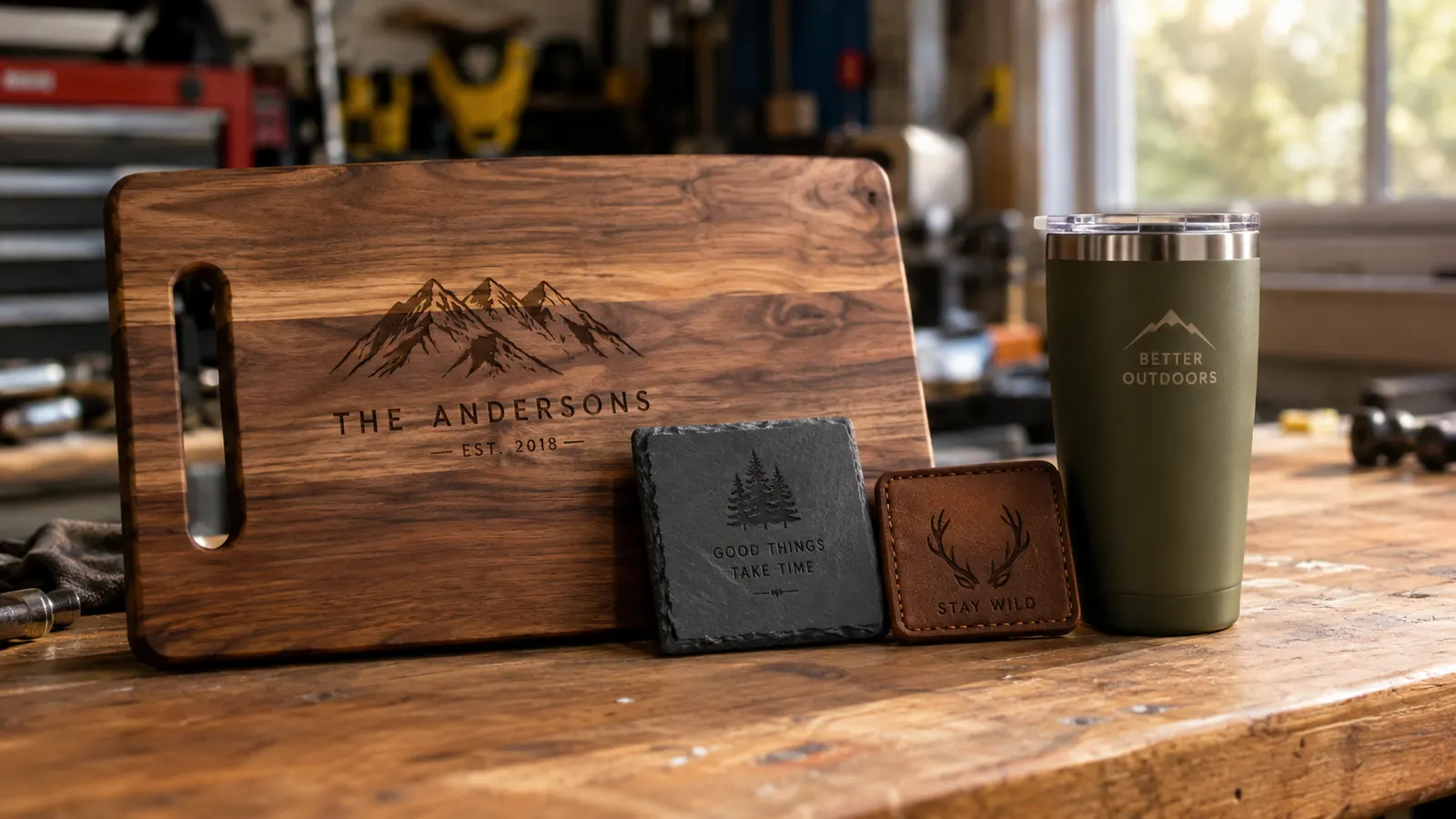
Buying a 20W diode laser taught me more about laser engraving than any of the videos I watched before I bought one. That's not a compliment to the machine. It's a compliment to the school of hard knocks, which is the only school that really teaches this hobby. I'm Gus Pellegrino. I'm 58, a retired shop teacher in Tucson, and I've been engraving in my garage for about four years. I sell hardwood cutting boards, leather patches, slate coasters, and powder-coated tumblers at weekend craft fairs and on Etsy, with my wife Linda handling the listings and the photos. When the Acmer S2 showed up on my workbench, I'd already been through one machine that was too small and a stack of wasted wood, so I opened the box with a healthy dose of skepticism. That turned out to be exactly the right attitude.
This is the honest review I wish I'd read before my first laser. It covers what a 20W machine actually does, what the marketing doesn't tell you, and where the S2 will test your patience. It is not a list of perfect scores. It's a list of expectations, so you can decide with your eyes open.
The Quick Verdict
A solid, honest 20W diode laser that does what it says, as long as you understand what 20W means. The air assist is genuinely useful, the build is better than the price suggests, and the limits are the same limits every diode laser has.
Amazon Check Today's Price →A 20W diode laser that does what it promises, with an air assist that actually helps.
The S2 won't cut thick hardwood and it won't engrave clear acrylic, but it will do the jobs most beginners actually want to do, and it won't fight you while you learn. That's rarer than it should be.
Amazon Check Today's Price on Amazon →How I've Used It
Before I get into the details, here's the testing ground. The S2 lives on my workbench along the back wall of my two-car garage, next to the window I vent through. I've run it through the same jobs I do for the craft fairs and Etsy: engraving hardwood cutting boards, cutting and engraving leather patches, marking slate coasters, and doing the occasional tumbler with my own rotary attachment. I also deliberately pushed it with jobs that strain a 20W diode laser, because that's the part most reviews skip and the part that matters most.
Setup took me about forty-five minutes, including time spent reading the manual twice. I'm a retired shop teacher, and I've learned the hard way that skipping the manual costs you a bench full of ruined material. The frame is aluminum, the rails move smoothly, and the whole thing feels sturdier than the price suggests. The honeycomb bed is what you want for cutting thin wood, and the limit switches work the way they're supposed to. The air assist pump hooks up in about two minutes. None of this is glamorous, but it's the stuff that determines whether you'll actually use the machine or let it collect dust.
I kept a notebook for the first few weeks, which is another habit from my teaching days. Every job gets a line: material, thickness, power setting, speed, number of passes, and what I'd change next time. That notebook is worth more than the machine, honestly, because it turns every burnt board into a lesson instead of a loss. By the time I'd filled ten pages, I could predict how the S2 would handle a new material within a few minutes of testing. That's the real skill in this hobby, and it's the one no product page can sell you.
One honest note about the first week: I ruined three pieces of wood before I got the settings right. One board got a scorched border because I ran the power too high. One leather patch came out washed out because I ran the speed too fast. And one coaster cracked because I tried to engrave a piece of slate that had a hairline fracture I hadn't noticed. That's not the machine's fault. It's the tuition you pay to learn any new tool, and I'd rather you hear it from me than discover it yourself with a board you were planning to sell.
What 20W Actually Means (and What It Doesn't)
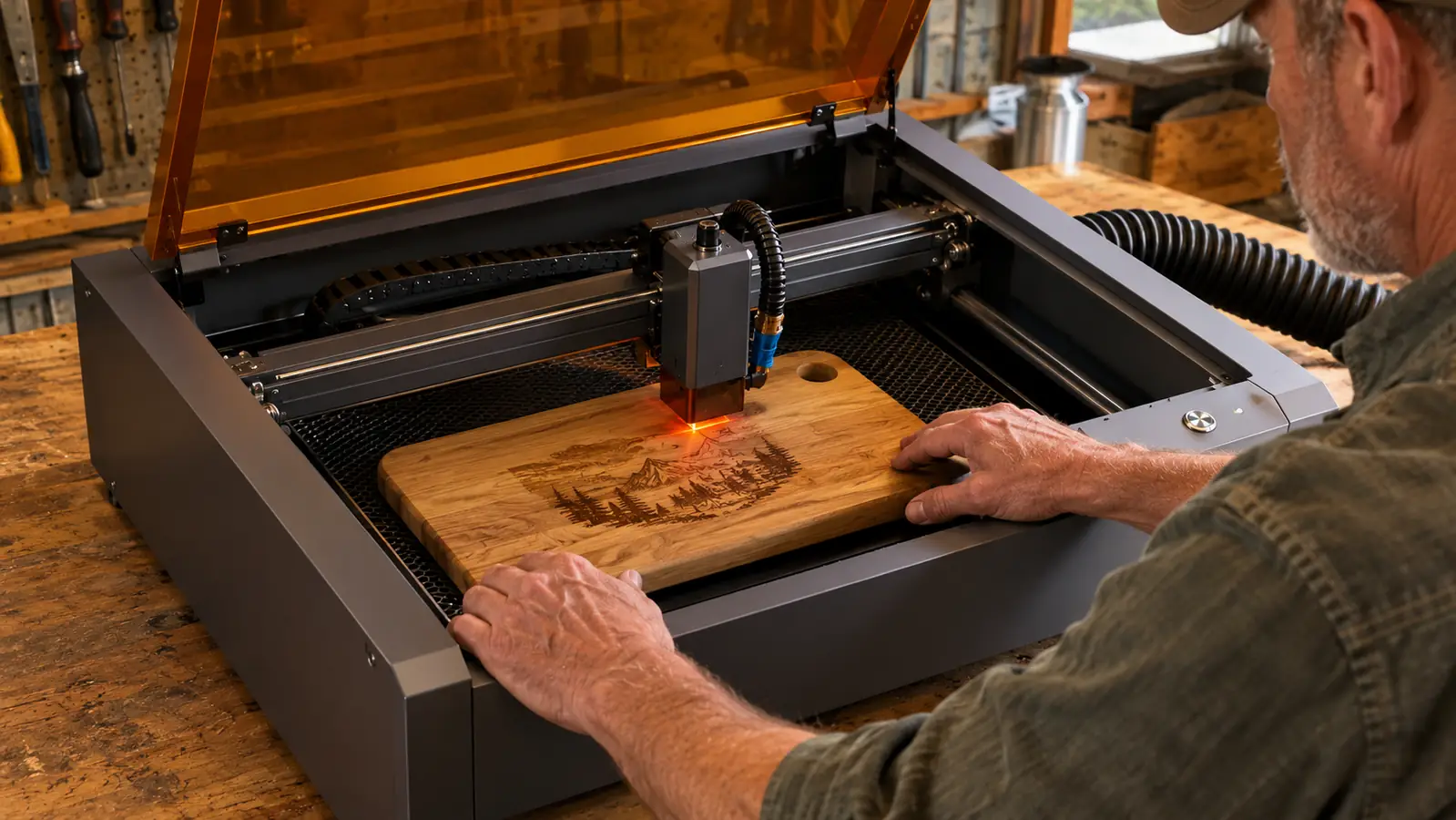
Here's the part that frustrates a lot of first-timers, and it's not the S2's fault. It's the industry's fault. When a diode laser is labeled 20W, that's the total power of the diode array, and the power that actually reaches the workpiece is lower. Every diode laser on the market works this way, at every price. The honest way to compare machines is by what they can do, not by the number on the box. So here's what the Acmer S2 can do, based on my hours with it. It engraves most woods cleanly. It cuts thin wood like 3mm basswood or 4mm pine in a pass or two. It engraves leather. It marks slate and stone. And with the right coating, it can put a mark on metal.
It cannot cut thick hardwood. It cannot cut metal. It cannot engrave bare glass without a marking solution. And clear acrylic is a problem because blue laser light passes straight through it. Those are not failures of the Acmer S2. Those are physics. If you buy a 20W diode laser expecting the cuts you see from a 60W CO2 machine, you will be disappointed, and it will not be the machine's fault.
The practical takeaway is this: for engraving, the S2 is genuinely capable, and for light cutting, it's genuinely useful. My cutting boards are 3/4 inch hardwood, and I don't cut those with the laser. I engrave them. The laser's job is the design, and the saw does the cutting. Once you separate those two jobs in your head, a 20W machine stops feeling limited and starts feeling like exactly the right tool for a whole category of work.
Setup, Software, and the First Burn
Let me walk you through the first afternoon, because it's the afternoon most reviews don't show you. I set the machine on the bench, hooked up the air assist, installed the software, and ran the included test file on a piece of scrap pine. The first engraving came out too dark in one corner, which is normal. The machine needs to be focused for the thickness of your material, and the corners of the bed need to be level with the middle. I adjusted the focus, re-ran the file, and the second pass looked clean. Total time from box to a decent test engraving was about an hour.
The software situation is worth knowing before you buy. The S2 works with LaserGRBL, which is free, and it also works with LightBurn, which is the paid program most serious engravers use. LightBurn has a free trial, and it's the better long-term investment, but you can absolutely start with the free option and learn the basics without spending a dime on software. The machine doesn't lock you into one program, and that flexibility matters more than beginners realize.
The other thing the manual doesn't emphasize is ventilation. The S2 has an exhaust port, and you need to hook it to a fan and vent it outside. I rigged a hose from the machine to a fan I mounted in the window, and I still open the window and keep the shop vac running nearby. Laser-cut wood produces smoke and fine particles, and you do not want to breathe that in a closed garage. This is true of every diode laser. It is not a flaw in the S2. It is a fact of the hobby.
One more thing that surprised me, in a good way: the included accessories. The honeycomb bed, the limit switches, the air assist pump, the cable management. Cheap machines nickel-and-dime you on these details, and then you're buying a honeycomb bed and a pump separately and paying more in the long run. The S2 includes the stuff you'd actually need to start, which is part of why the effective cost is more reasonable than it looks. I didn't expect that at this price point, and I was glad to be wrong.
The Air Assist Difference
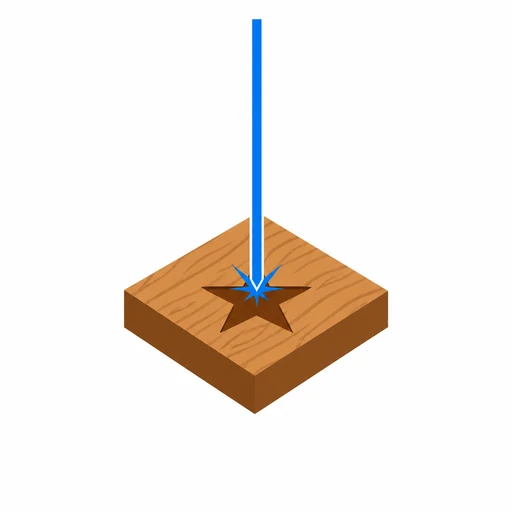
The S2 includes a 25L air assist pump, and this is the feature I'd pay extra for even if it weren't in the box. Air assist blows a stream of air across the work surface while the laser runs. It clears smoke out of the beam path so more power reaches the wood, and it blows away the charred residue that makes engraving look muddy. On cutting boards, the difference is night and day. Without air assist, my lettering had dark, burnt edges. With it, the letters stay crisp and light. It also keeps thin material from catching fire as easily, which matters when you're cutting basswood for the first time.
The trade-off is noise. The pump is not silent. It's a constant low hum, like a small aquarium pump with a little more attitude. It doesn't bother me in the garage, but if you're in an apartment or a shared space, you'll hear it running through the whole job. It's also one more thing on the bench, one more hose to route, and one more thing to store. Those are small costs, but they're real, and nobody mentions them on the product page.
What It Struggles With
Now the part nobody puts on the box. I pushed the S2 hard, and here's what happened. Cutting 6mm pine took two passes, and the edges needed a light sanding to look clean. Cutting anything thicker than about 8mm is slow, and the edges come out charred. Clear acrylic is essentially a no-go, which I expected, because blue light passes through it. Dark acrylic cuts, but it melts and leaves a rough edge that needs cleanup. Slate engraves beautifully at low power, but the dust from slate is fine and gets everywhere, so you need the air assist running and a mask on your face. Bare metal is a non-starter unless the piece is coated, and even then you're marking, not engraving.
None of this is a defect in the Acmer S2. It's the nature of a 20W diode laser, and a 60W CO2 laser costs several times as much and takes up most of a garage. I'm spelling out the limits because the marketing photos never show you the charred edge on the second pass. If you know the limits going in, the S2 will not disappoint you. If you don't, you'll blame the machine for something that's true of every machine in its class.
The other struggle is speed. A 20W diode laser is not fast. A detailed engraving on a large cutting board can run thirty to forty minutes, and you have to stay nearby to watch for smoke and flame. I use that time to prep the next board or sand edges on the last one, but if you're hoping to set a job and walk away, this is not the machine for that. Every laser engraver wants supervision, and the S2 is no exception.
What I Liked
- Sturdy aluminum frame that doesn't flex when the head moves fast
- The included 25L air assist makes a visible difference in engraving quality
- Works with free software, so you can learn before you pay for LightBurn
- About an hour from unboxing to a clean test burn on scrap wood
- Handles the materials most beginners actually want: wood, leather, slate, coated tumblers
Where It Falls Short
- The 20W number is the diode's total power, not the power reaching your material
- Cuts thin wood well, but anything over about 8mm is slow and charred
- Clear acrylic is a non-starter, which surprises a lot of first-timers
- The air assist pump is a constant low hum for the whole job
- You have to rig your own exhaust, because the machine won't clean the air for you
Without air assist, my lettering had dark, burnt edges. With it, the letters stay crisp and light.
Who This Is For
The Acmer S2 is for the person who wants to learn laser engraving on a machine that's big enough to grow with them. It's for the Etsy seller who wants to add cutting boards and leather patches without buying a CO2 laser they don't have room for. It's for the craft fair regular who wants to engrave tumblers and slate coasters on the side. It's for the tinkerer who enjoys the learning curve and doesn't expect perfection on the first pass. If that sounds like you, the S2 is a sensible place to start, and the air assist alone puts it ahead of cheaper machines that make you buy the pump separately.
The S2 also suits the person who wants to learn without a huge commitment of space or power. It sits on a workbench, it runs on regular household power, and it doesn't need the water cooling or the dedicated circuit that a CO2 laser needs. That's a real advantage in a garage shop, where the last thing you want is another machine that needs its own corner and its own electrical run.
Who Should Skip It
Skip the S2 if you need to cut thick hardwood or acrylic for a business, because a 20W diode laser is not that tool. Skip it if you have no way to vent the fumes, because running a laser in a bedroom or a closed office is a bad idea. Skip it if you want a machine that's perfect out of the box with no learning curve, because every laser engraver demands patience, and the S2 is no exception. And if you're not sure you'll actually use it, start with a maker space or a cheaper machine, because the real cost of this hobby is the materials you burn while you learn.
I'd also tell a serious production shop to look at something bigger. If you're already selling engraved products in volume and the bottleneck is speed, the S2 will feel slow, and you'll outgrow it within a year. That's not a criticism of the machine. It's a warning to buy the tool that matches where you are right now, not the one you hope to grow into overnight.
The honest bottom line: the Acmer S2 is a capable 20W starter that won't waste your money.
I've told you what it does well and where it falls short. If those limits fit the work you want to do, it's a solid buy. If they don't, you just saved yourself a costly mistake.
Amazon Check Today's Price on Amazon →