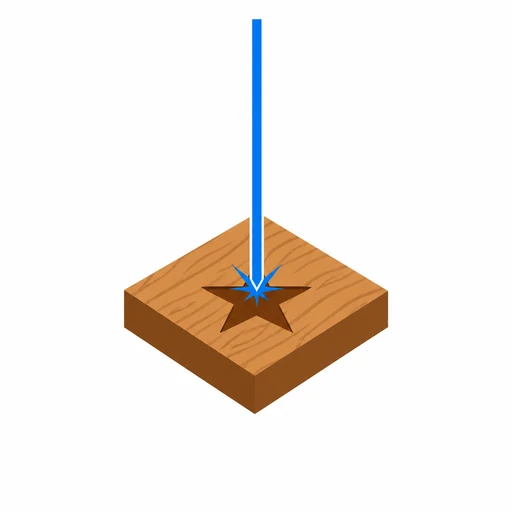
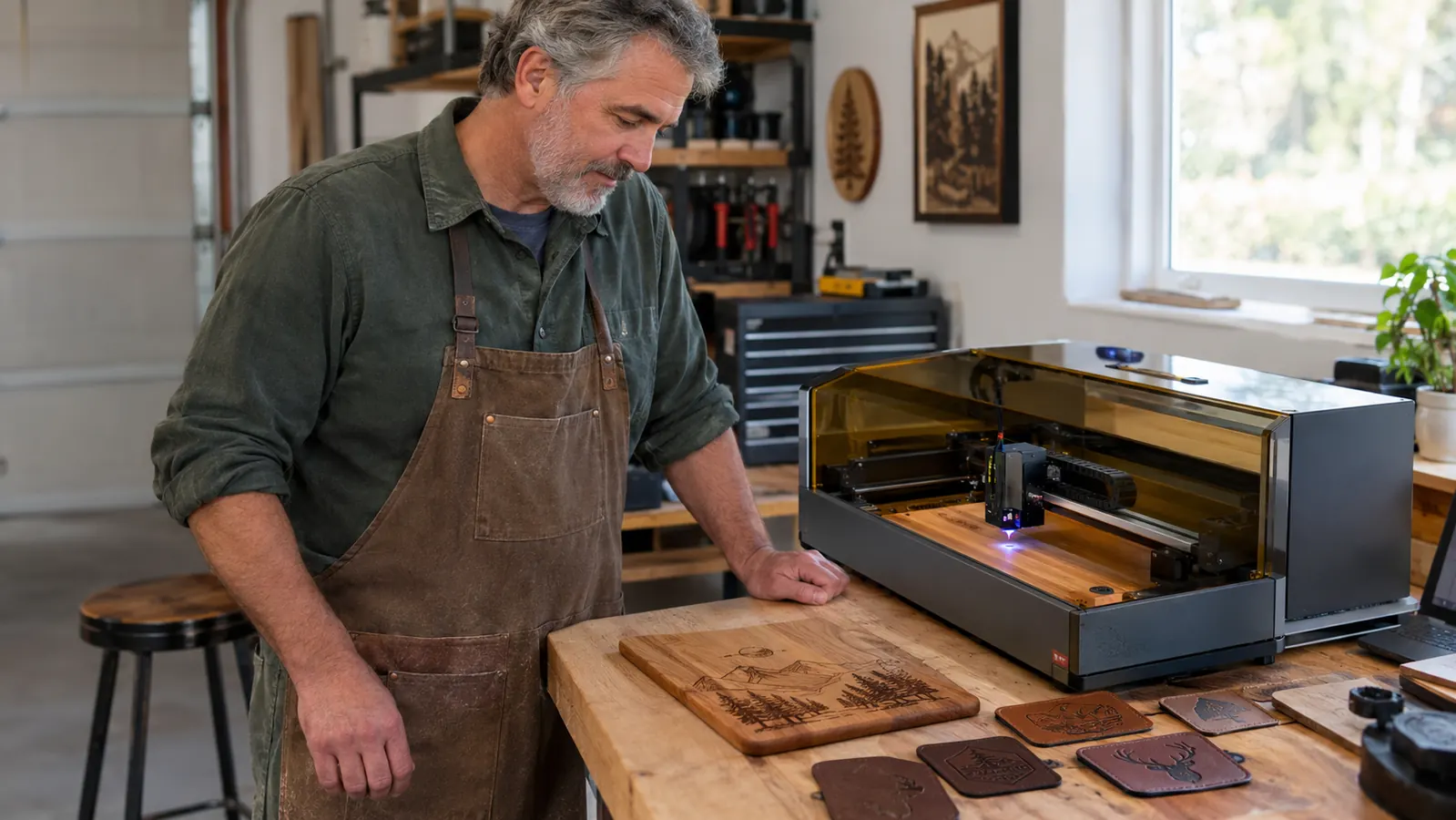
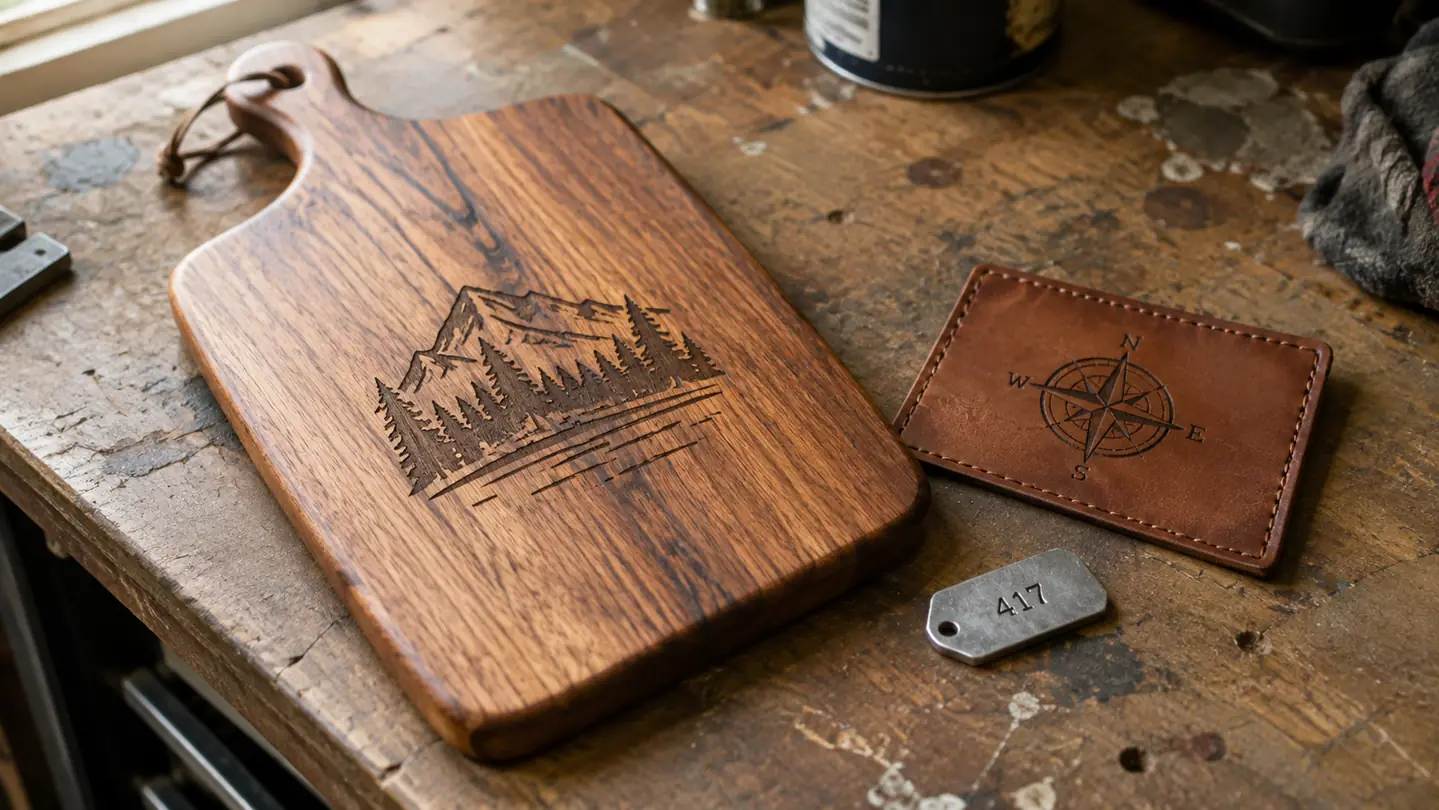
When I ordered the xTool F2, the dual laser is what sold me. One machine that could burn wood and mark metal. I pictured finishing a cutting board and stamping a little stainless tag for it without switching setups. Five months later, I can tell you it does exactly that. It also does a few things the box does not warn you about, and I want to talk about those first.
The honest version is this: the xTool F2 is two tools in one case, and the two tools are not equal. The 15W diode side does the heavy lifting. The 5W IR side is the specialist. Most of my week is diode work: cutting boards, leather patches, slate coasters, and powder-coated tumblers for the weekend craft fairs and Etsy. The IR side earns its keep on small metal tags and stainless keychains. If your work only touches one of those two worlds, you are paying for a laser you will barely use.
The Quick Verdict
A genuine dual-laser machine for a shop that touches wood and small metal pieces. Buy it for the combination. Skip it if you only need one of the two lasers.
Amazon Check Today's Price →The dual laser is the whole story. See today's price.
If your jobs touch both wood and small metal pieces, the F2 is the machine to compare against. The camera makes placement easy, and the IR side handles tags and keychains without a second setup.
Amazon Check Today's Price on Amazon →How I've Used It
I run a two-car garage with a workbench along the back wall and a window I vent through. The F2 sits at the right end of that bench, next to the shop vac. Linda handles the Etsy photos and listings, so I am the one at the machine. A typical week is a stack of cutting boards for a fair, a pile of leather patches, and whatever custom tumblers came in through the shop. The machine runs a couple of hours most weekends, and I work the sanding and finishing around it.
The built-in camera is the feature I reach for the most. I set up a job in XCS, the free software, and the camera shows me the material on the screen. I slide the artwork where I want it and the machine finds the piece. That sounds small until you have wasted a slate coaster because the design sat a quarter inch off center. It does not happen anymore.
The machine has taught me patience, and I say that as a former shop teacher. Every material needs a settings test before I run a real job. I burned my share of boards in the first month. That is not a flaw in the machine. It is how laser engraving works. The F2 just makes the testing easier than my first machine did, because the camera shows me exactly where the test pattern will land.
The Two Lasers Are Not Equal
The marketing says dual laser and you picture a machine that does everything. The reality is plainer. The 15W diode is the workhorse. It cuts and engraves wood, burns leather, etches slate, and lifts the coating off powder-coated tumblers. That covers about ninety percent of my jobs. The diode side also has the bigger working area, so a standard cutting board fits without shuffling it around.
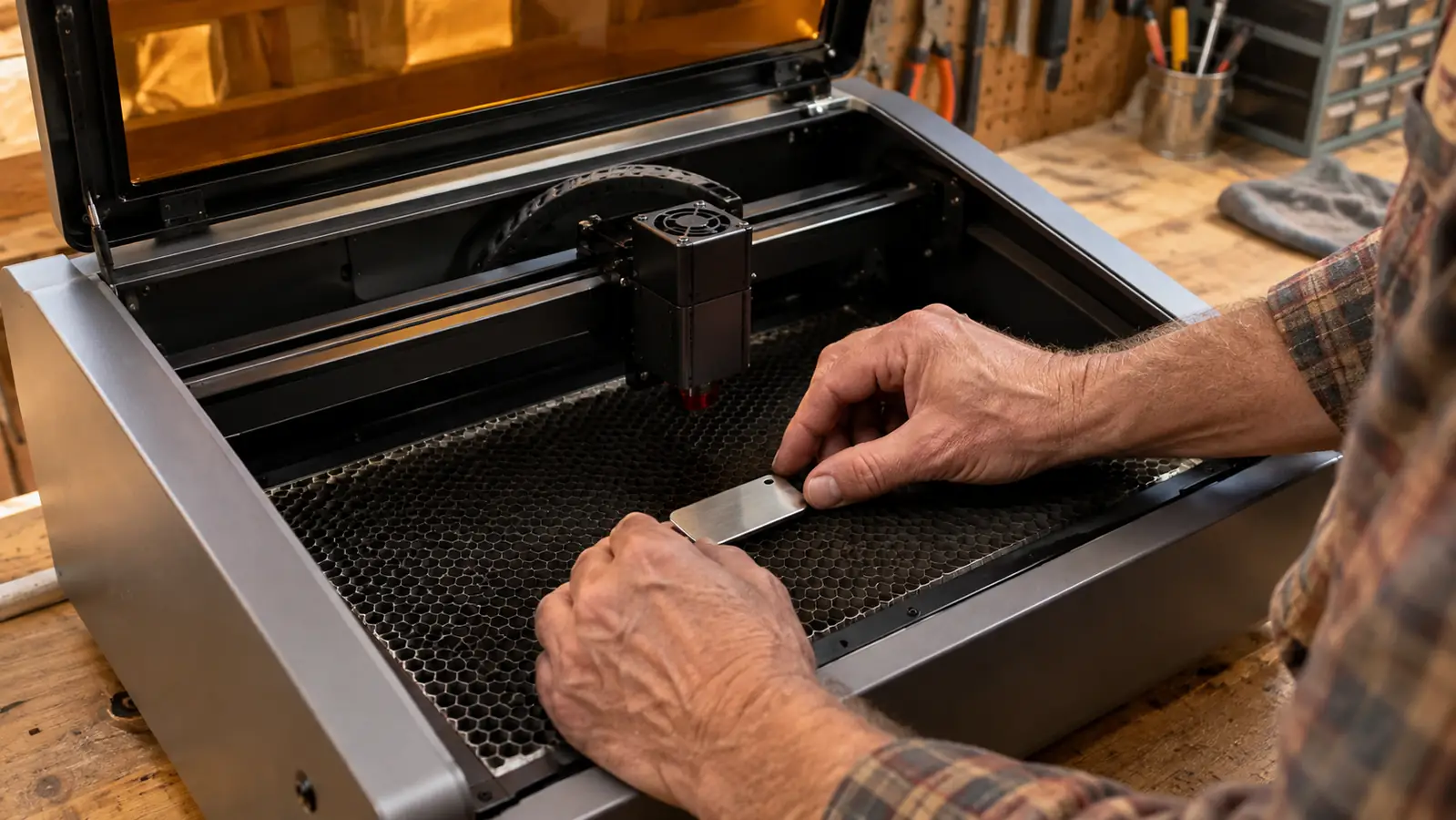
The 5W IR side is the specialist. It marks bare metal: stainless steel, aluminum, and some coated pieces. I use it for small tags, keychains, and the occasional stainless bottle. The result is a surface mark, a clean dark line on stainless and a lighter gray on aluminum. It is not a deep engraving, and it will not cut metal. If you are expecting fiber laser results from a desktop machine, this is not that.
The other thing nobody tells you is that the IR working area is smaller than the diode area. The F2 is a desktop machine, and the IR field is the compact part of it. For small parts that is fine. For a large steel sign it is not the tool. You either fit what you can or you batch the pieces. That is the tradeoff you accept for a machine that does two jobs in one box.
A typical Saturday shows the split clearly. The diode side runs a batch of cutting boards in the morning. The IR side marks a dozen stainless tags in the afternoon. Each laser does what it does well, and neither gets in the other's way. That is the real argument for the F2: not that it is the fastest at any one job, but that one machine covers the whole weekend.
Metal Marking: What Nobody Tells You
Start with speed. The 6000mm/s number on the box is how fast the laser head can move, not how fast a job finishes. Real jobs are slower. A small stainless tag takes a couple of minutes. A batch of keychains is a solid block of time. That is fine for a side business, but it changes how you plan a weekend. I learned to start the metal jobs first and let them run while I work the wood.
Color marking is the feature people ask about most. The F2 can do a form of color marking on metal, and the honest description is a limited palette. On stainless you get dark tones and some browns. On titanium you can get blues and golds, depending on the settings. It is not a full-color print like a label maker. If color marking is the reason you are looking at this machine, watch a few videos first and set your expectations.
Aluminum is the picky material. The settings that give a clean dark mark on stainless can give a faint gray mark on aluminum. You will spend an evening running tests before the first good batch. That is normal, and it is the part of this hobby that never makes the videos. Keep a notebook. Write down the settings that work. After that, the machine gets predictable fast.
Prep matters more on metal than on wood. A fingerprint on a stainless tag will show up in the mark. I keep a small spray cleaner and a cloth by the bench, and I wipe each piece before it goes in. That is the kind of detail that separates a clean batch from a frustrating one, and it is not on the box.
The Camera and the Software
The built-in 50MP camera is the surprise of the machine. I expected a gimmick. What it actually does is show me the material on the screen and let me drop the design exactly where I want it. The machine then knows where the piece is and runs the job in place. For a one-man shop, that saves material and time. I have not centered a design by eye since it arrived.
The software is XCS, and it is free. It is not the smoothest program I have used. The settings menus take some getting used to, and I still hunt for a few things. But it imports the files I need, it handles the camera placement, and xTool pushes updates regularly. If you are coming from a first machine, you will adjust in a weekend. If you are brand new, give yourself a full weekend of practice before your first real job.
Here is the teacher part of me. The F2 does not need you to be a laser engineer, but it does need you to understand one idea: the machine and the material are a pair. The same setting that burns a clean line into birch will scorch a leather patch. You learn this by testing, not by reading. The F2's camera makes testing cheap, because you can run small test squares in the corners of a board instead of sacrificing a whole piece.
How the F2 Fits a Side Business
For the craft fair side of things, the F2 earns its place because it shortens the path from order to finished piece. A custom tumbler comes in on a Tuesday. I find the design, place it with the camera, and run it. It is not a production machine, and I would not promise anyone a full-time income from one. But for a retired guy with a garage, it turns a weekend project into something I can actually sell.
Batching is the trick. I do not run one keychain at a time. I fill the working area with a grid of tags, run the job once, and split them apart afterward. The same goes for leather patches. The F2 handles a full tray of small pieces in one pass, which is the difference between a hobby and a shop that gets orders done on time. Linda photographs the finished pieces for Etsy while I clean up the bench.
What I would tell anyone starting this: the machine is the easy half. The business side, the photos, the listings, the craft fair table, that is where the time goes. The F2 does its job without babysitting, which matters when you are also sanding boards and packing orders. Just do not buy it expecting the machine to do the selling. It does the engraving. You do the rest.
Where It Falls Short
Let me be honest about the downsides, because the videos skip them. The machine still needs ventilation. It has an enclosure and a vent port, and I run a hose out the garage window just like I did with my first laser. In a closed room, you will smell the work. Nobody tells you that part, and it matters more than the laser power in a small shop.
The second honest note is the cost of the dual laser itself. You are paying for two lasers whether you use both or not. If your work is all wood, the IR side sits idle. If your work is all metal, the diode side sits idle. The F2 only makes sense when you genuinely do both. That is the test I would put in front of anyone who asks me whether to buy one.
The last thing I will flag is the small IR working area, and I know I already said it. I say it twice because it is the detail people miss. The diode side takes a cutting board. The IR side takes a tag. If your mental picture of metal marking is a big stainless plaque, adjust the picture before you buy.
Your First Weekend Will Be Testing
Plan for a weekend of setup and testing before you make anything worth selling. The box is not heavy, the machine sits on the bench, and the software installs in minutes. Then comes the part the videos skip: the firmware update, the focus check, and the test grid on scrap wood. None of it is hard. All of it takes time, and it is time you should not skip.
The first job I ran on the F2 was a test grid on a piece of scrap birch. I wrote the settings in the notebook, ran the squares, and picked the column that looked right. Then I ran another grid on leather, and another on a piece of stainless. By Sunday evening I had a page of notes and three materials I understood. That is the honest first weekend with this machine, and it is exactly how it should go.
What I Liked
- Two real lasers in one machine: wood, leather, slate, and bare-metal marking without a second setup
- Built-in camera makes placement accurate, which saves material every weekend
- Compact desktop footprint that fits a garage workbench
- Free software that imports what I need and keeps improving
- Clean marks on stainless tags and keychains once the settings are dialed in
Where It Falls Short
- IR working area is small, so larger metal pieces are out
- Metal marking is slower than the speed number on the box suggests
- Color marking is a limited range, not full color
- You still need to vent fumes even with the enclosure
- You pay for both lasers even if you only need one
Most weeks, the diode side handles nine out of ten jobs in my shop. The IR side earns its keep on the small metal pieces.
Who This Is For
This machine is for someone who does what I do: a mix of wood and small metal work. Cutting boards with a stainless tag. Leather patches for jackets. Slate coasters. Powder-coated tumblers for the local high school teams. If you already sell at craft fairs or on Etsy, and a second machine is not in the budget, the xTool F2 is the one that covers the most ground. The camera and the testing routine are manageable for anyone who likes to learn by doing.
The beginner I would point at this machine is the one who already has orders coming in, even a handful. If you are still deciding whether you like laser engraving at all, start smaller and cheaper. The F2 is a step up. It earns its place in the work it lets you take on, not in the hope of someday using it.
Who Should Skip It
Skip it if you only engrave wood. A single diode machine will do that job for less money, and you will never touch the IR side. Skip it if you only need metal marking at production volume. That is fiber laser territory, and the F2 is not that. And skip it if you are not ready to test settings, vent fumes, and keep a notebook. The dual laser is a tool for a working shop. It is not a magic box. If you go in knowing that, you will not be disappointed.
If you are on the fence, that is useful information. The F2 is not a small purchase, and the right answer for one shop is not the right answer for another. A weekend of watching videos will tell you which one you are.
The dual laser makes sense for one kind of shop. Is yours that shop?
The F2 is not a fiber laser and not a one-trick machine. It is a solid hybrid for a garage shop that touches wood and metal. Check today's price and see if the dual laser fits the work you actually do.
Amazon Check Today's Price on Amazon →